

1·
11 days agoThis dosnt seem to fully work. Deadpool & Wolverine was at cinama and only available as a cam recording (on the high seas) until late last month. Lee on the other hand is showing at cinema but on the seas toucan watch it as 4k.
This dosnt seem to fully work. Deadpool & Wolverine was at cinama and only available as a cam recording (on the high seas) until late last month. Lee on the other hand is showing at cinema but on the seas toucan watch it as 4k.
Link to my other comment. https://jlai.lu/comment/10732636
I’m rarely at a PC when I want to add a movie. I dont normally DL content either. Just stream via Stremio and Premiumize.
Is there ao mobile option thst doesn’t require VPN and Remote PC?
I used to have this horrible illegal app a while ago. Good that its shut down. Can some tell me where this disgusting app was/is hosted. I want to check that it dosnt come back online. Theres no way id install this app or any successor just to watch free sport.
Endeavour IS is arch with KDE and a few basic apps. Pretty sure you dont need WiFi to test it. For any issues you can just use the arch wiki. I really enjoyed it as first distro as the wiki is so helpful. I moved to Mint tho (not DE) and have loved not having to use the terminal for anything.
SmartTube self updates BTW. So once its loaded you dont need to do it again. Same with S0und for Twitch.

I installed an emoji quick search app (not sure what one). It freezes Wayland/mint.
I tried Wayland once and didnt realise I was still logging in with it.
Maybe I misunderstood. Are launchers more like “search” or quick lunch?
I was looking for a start menu replacement.
Playing along for Mint/Cinnamon suggestions. Already using the Cinimenu (or whatever it is) but its still not “it”.
Only for groups? Why thing else has worked fine for the 9months I’ve had signal.
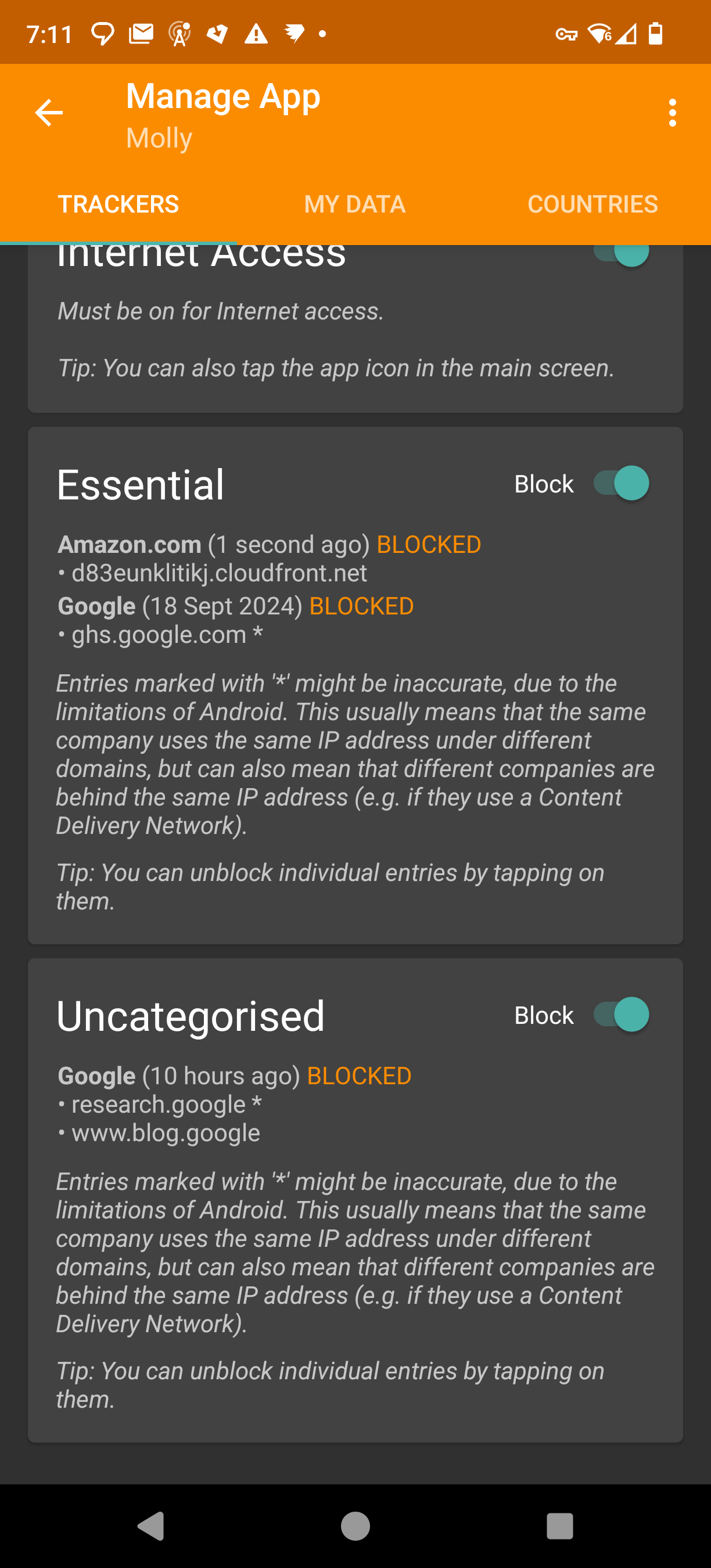
Tracker Control is blocking me from joining. Weird that Molly (its a hardened signal fork) is showing amazon is being contacted when trying to join the group.
I can unblock it but its weird. I also noticed the other domains its been trying to (unsuccessfully) contact.
Probably not the place to ask, but. Say In a n00b and have Arch (EndeavourOS BTW) on a 15+ year old laptop. Everything works fine hardware wise. Software is fairly basic web, Inkscape, LibreOffice.
Do I really need all the latest Arch updates? Or can I just do an update say every 6 months?
The sync looks to be a version of KDE connect. That I have running on Mint. I think I had to install it from the Mint software GUI though.
Zorin does look cool though. As easy as it is Mint/Cinnamon is a bit ugly out of the box.
How does this compare for a user who “just wants things to work without terminal/CLI”.
I’ve landed on Mint after trying a few other distros.
What is the videos and games are you seeing water marks in?
Lol. I’m not a Mac person. Airbook? The thin ones.
Is plasma big screen really an option? Id like to install it on a desktop to act as a android tv. Launch Stremio, YT and maybe one or two other apps/websites. Easy big tile navigation with remote (flirc).
It’s in dev since 2020. The images hosted on the site are bit for any of my hardware. It says theres a Debian package. Installed that though LMDE but it was horrible. Somone mentioned Kububtu can install it with apt, but its not listed. Think I’ll give up.

My limited knowledge and time force me to certain distros. Some of my stuff only works on EOS, others only on Mint.
It’s easier to install another distro than spend another hour troubleshooting. I know “just read the wiki” but sometimes we don’t have the skills, imagine a neckbeard trying to “just have a shower, and get out the basement”.
It makes it even more tempting to move back to Windows where I can just plug and play. But I’m forcing myself not to. … Well that and Win11 isn’t supported.
And re things not working. I’ll not even a gamer with special hardware. Just use it for web browsing and citrix for WFH.
https://www.youtube.com/watch?v=GxZf1-bLIHY
This is a pretty good start to make Mint (Cinnamon) look better.
Its basically mall built-in tools.
I ended up just putting icons in the middle (to prepare for works Win11 enshitification).
I also put a user button near the time to allow shutdown and removed the god awful power icons from the start menu (or whatever the app launcher is called).
Theres also an extend thin for a bigger start menu more like a grid but thats personal preference.
I think mint should do some of these things so its not so off putting. It held me back forming for so long but IRS much better.
I prefer mint over fedora. Fedora dosnt seem to have as many apps in the store. Yes you can use a terminal but thats not helping linux become mainstream, mint is.
+1 mint also prompts new users to setup timeshift backups.